How Much Breathing Room Should You Leave in Edits for Dubbing?
There isn’t one magic number of seconds to add to every edit. The right amount of breathing room depends on how quickly the speaker talks, how much the translated line needs to say, whether the shot shows the speaker’s mouth, and how much the moment relies on personality or timing.
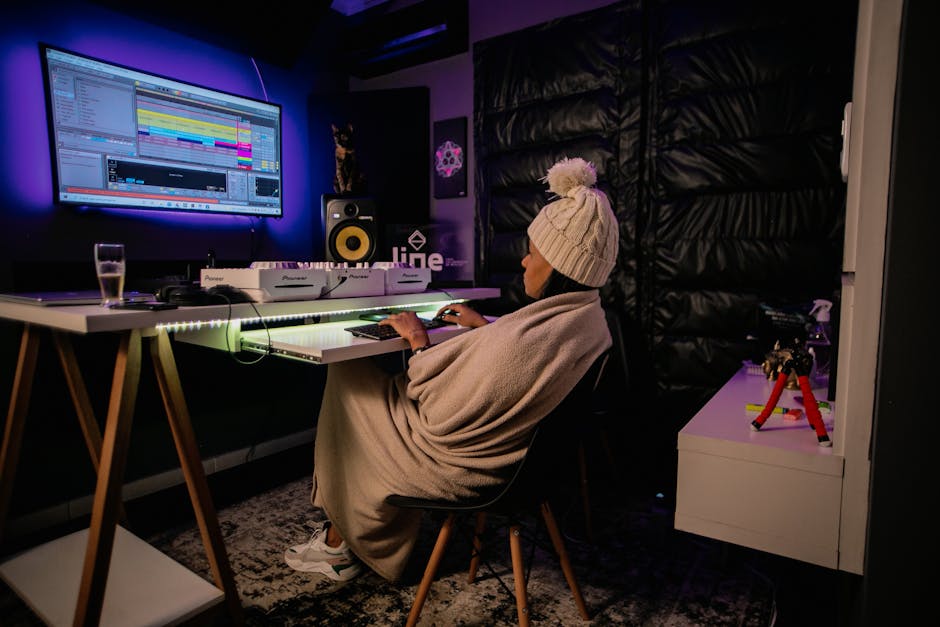
As a starting point, leave a little flexibility around important spoken lines: avoid cutting straight from one sentence into another, and don’t fill every pause with a new shot, sound effect, or graphic. For many videos, a few tenths of a second of extra room around a line can help. Longer explanations, jokes, and emotional beats may need more. Treat these as editing options, not padding you must add everywhere.
The goal of dub friendly editing is not to make a video slow. It is to give a dubbing team—or an AI-assisted workflow—enough room to deliver translated speech naturally without wrecking the original pacing. Then check whether the localized version still holds attention. On YouTube, that means asking what the retention graph did, not just whether the video got views.
Why translated speech can need more room
Translation does not preserve the original sentence’s length or shape. A short English phrase may take more time to say in another language; a longer phrase may become more compact. Word order, syllable count, emphasis, and natural speaking speed all vary. A dub that has to fit the original audio’s exact timing can end up rushed, unnaturally stretched, or awkwardly paused.
AI dubbing has made parts of the process faster. Tools such as ElevenLabs Dubbing Studio can help generate localized speech and manage a dubbing workflow. But the output still needs editorial judgment.

The system has to interpret speech, assign voices, generate audio, and fit it to a video. Results can vary with the recording, language pair, speaker, and content. Here's a story that illustrates this perfectly: wished they had known this beforehand.. Prosody—stress, rhythm, intonation, and emotional delivery—is particularly easy to flatten or misplace.
And dubbing is not the same thing as lip sync. Dubbing replaces or overlays spoken audio in another language. Lip sync refers to matching visible mouth movements to the speech. Some workflows attempt to adjust mouth movements, but that is a separate step with its own limitations and review needs. If a person is shown speaking on camera, the dub may be understandable while still looking slightly out of sync.
A practical starting point for edit pacing
Ever notice how rather than insert a fixed pause after every sentence, edit for flexibility. A natural breath, a clean beat between ideas, or a reaction shot can give a translator and dubbing editor options. The point is to avoid making the translated delivery fight a cut that was already locked to the original language.. Pretty simple.
Moment in the edit Useful starting point What to watch for Between short, related sentences Keep a natural breath or a small beat when the delivery allows it Don’t add silence that makes the original feel hesitant Before a key instruction or important fact Leave room for a clean start and emphasis Make sure graphics or music do not crowd the line After a joke or emotional line Protect the reaction or let the moment land Translation may change the setup, timing, or punchline During a visible talking-head shot Consider a cutaway, alternate angle, or graphic over part of the line Audio timing alone will not fix a visible lip-sync mismatch At a scene or topic transition Leave enough space for a localized transition or short voice-over Check that the transition does not become dead airThese are starting points, not timing rules. If the original edit feels sluggish after adding pauses, you have added too much or placed the space in the wrong moments. A useful pause for translation should still feel purposeful in the source version: it can let an idea register, create contrast, or give the viewer a moment to follow a visual.
Build flexibility into the cut, not silence into every line
The most useful breathing room often comes from choices made before the final cut:
- Separate ideas clearly. Give the speaker a chance to finish one thought before starting the next. A sequence of tightly packed clauses is harder to translate and time.
- Use B-roll and graphics strategically. A cutaway can cover a line whose translated timing differs from the original. It is not a cure-all, but it gives the editor more options than a continuous close-up.
- Keep music and effects under control. A loud sting placed on a word or sentence ending can make it difficult to move or extend the dubbed line.
- Save clean source audio and project files. Isolated dialogue, music, and effects make it easier to adjust a localized mix without rebuilding the whole edit.
- Avoid unnecessary hard cuts inside sentences. If a cut is essential, consider whether the localized audio can bridge it or whether a visual edit can hide the timing change.
- Keep alternate shots where practical. A second angle or reaction shot can help handle timing differences without forcing unnatural silence.
This approach is especially useful when you expect to localize several videos, not just one. A repeatable workflow—organized audio, clear speaker labels, scripts, and editable timelines—can save time later. But don’t overbuild for hypothetical languages before you know which audiences and formats you can serve well.
Which formats are most dub friendly?
Informational and instructional videos
Step-by-step explainers, product walkthroughs, and other informational videos are often easier to dub. The value is usually carried by the sequence of ideas, demonstrations, and on-screen details. A voice-over can explain what is happening while the viewer watches hands, screens, diagrams, or examples.
These videos still need care. Keep key instructions visible long enough to read, and ensure that translated captions or interface labels are accurate. If the narration names a button or feature, the localized audio should match what viewers can see. A little extra room between steps can help the explanation feel clear rather than hurried.
Personality-led content
Vlogs, comedy, interviews, and commentary can be harder to localize because viewers are there partly for the creator’s voice, timing, humor, and relationships. A joke’s rhythm may depend on a pause or on a phrase that has no direct equivalent. An AI voice can convey the broad meaning while missing the creator’s particular emphasis or warmth.
For this kind of content, preserving the original performance is not always possible—and a dubbed version should not pretend otherwise. Consider whether dubbing, subtitles, or a mix of both serves the audience better. For interviews and guest appearances, get clear permission for the intended use of a person’s voice and likeness, including localization and any AI-based processing where relevant. A guest’s participation in the original video should not be treated as automatic consent to every later voice treatment.
International opportunity is real; it is not automatic growth
English-language creators compete in a crowded environment. Reaching viewers in another language can give a channel access to audiences who have fewer relevant videos in their preferred language. But translation alone does not create demand, fit, or trust. The topic must matter to that audience, the localization must feel credible, and the channel needs a plan for publishing and supporting the version.
Think of dubbing as an investment in audience access, not a growth hack. Start with a small number of videos that have a clear reason to travel: evergreen tutorials, high-retention explainers, or topics that generate interest beyond your current audience. Then evaluate the localized versions on their own terms.
On YouTube, look beyond raw views. Compare retention curves, early drop-off, average view duration, and the points where viewers leave or rewatch. A localized video may attract clicks but lose viewers because the opening is too slow, a translated phrase sounds unnatural, or the visual references do not make sense in that market. Conversely, a modest view count with stronger retention may indicate that the content is connecting with the right audience, even if distribution is still developing.
Where possible, compare like with like: similar topics, video lengths, publishing windows, and traffic sources. Don’t conclude that dubbing caused a change just because one localized upload performed differently. Audience size, thumbnail, recommendations, and topic interest can all affect results. Treat the retention graph as diagnostic evidence, not a verdict on the entire language market.
Predictable technical failure modes to check
Most problems are not mysterious. They tend to show up in a few familiar places:
- Compressed delivery: A longer translation is forced into a short original line, making the voice sound rushed.
- Overlong pauses: Extra space is added mechanically, creating dead air that hurts pacing in both the original and dubbed versions.
- Prosody mismatch: The generated voice stresses the wrong word, misses a question’s shape, or delivers a serious line too brightly.
- Unclear speaker attribution: Overlapping dialogue or poorly labeled speakers leads to the wrong voice or an incorrect turn in conversation.
- Names and specialist terms: Pronunciation, acronyms, brand names, and niche vocabulary may be wrong even when the sentence is grammatically sound.
- Visual timing mismatch: A close-up makes altered timing obvious, or a gesture lands before the translated line that gives it meaning.
- Mixing problems: Original dialogue leaks through, music masks the dub, or effects hit in ways that clash with the new sentence timing.
- Context loss: A translated phrase is technically plausible but misses the reference, humor, or intended meaning of the scene.
For sensitive, technical, medical, legal, or otherwise high-stakes topics, have a qualified native speaker review https://emailtr.influencermarketinghub.com/api/v1/track/link/click/68b9cc9bc202d9a74ee938d0/1789390604572/?link=https%3A%2F%2Finfluencermarketinghub.com%2Fai-dubbing-for-creators%2F the localized audio and terminology before publishing. Automated checks and a fluent creator’s quick listen may not catch every issue. Review the final mix in context, not only as an isolated voice track.
A simple dub-friendly editing workflow
- Choose the right candidate. Look for videos with a clear audience need and a format that can survive localization.
- Preserve the source materials. Keep the script, clean dialogue, separate music and effects, and editable timeline when possible.
- Mark timing pressure points. Flag fast sections, overlapping speech, jokes, visible close-ups, names, and lines tied tightly to an on-screen action.
- Generate or record the dub. Use a tool such as ElevenLabs Dubbing Studio as part of the workflow, then listen for pacing, pronunciation, voice consistency, and prosody.
- Adjust the edit selectively. Extend a shot, use a cutaway, shift a transition, or revise a line when the translation needs room. Don’t stretch every pause by default.
- Review with a native speaker. Ask them to assess meaning, tone, naturalness, and any terminology that matters to the subject.
- Publish and study retention. Check where viewers leave, replay, or stay engaged, then use those patterns to improve the next localization.
The rule of thumb: leave options, then test
Good dub friendly editing is less about inserting a specific number of seconds and more about avoiding a cut so tight that no one can make a natural localized version. Preserve meaningful breaths, give important lines room to land, and use visuals to create flexibility where timing may change. Keep the original video engaging, too: breathing room should not become filler.
Start with a few promising videos, review the dub carefully, and watch the retention graph after publishing. If viewers drop at a rushed explanation, a dead pause, or a line that sounds emotionally off, revise the process—not just the timestamp. The best amount of breathing room is the amount that lets the translated performance sound human while keeping the video worth watching.